What does DMX Stand for?
DMX Meaning
DMX in the Lighting Fixtures
DMX512 is a communication protocol used primarily for controlling stage lighting and effects. Here's what each part of the term means:
- DMX: As previously mentioned, this stands for Digital Multiplex. It refers to the method of sending digital signals over a shared communication line.
- 512: This number refers to the maximum number of control channels that can be sent in a single DMX universe. Each channel can control one parameter of a lighting fixture or effect, such as intensity, color, pan, tilt, focus, and more.
Here are some key points about DMX512:
- Universe: A DMX512 universe is a complete set of 512 control channels. If you have more than 512 channels to control, you would need to use multiple universes.
- Channels: Each channel in a DMX512 universe can be assigned to control a specific function of a lighting fixture. For example, channel 1 might control the dimmer (intensity), channel 2 the pan, channel 3 the tilt, and so on.
- Fixture Addressing: Each lighting fixture or device on a DMX512 network must be assigned a unique starting address within the 512-channel universe. This address determines which channels control the fixture.
- Cabling: DMX512 uses a specific type of cable, often a 5-pin or 3-pin XLR cable, to connect controllers (like a lighting console) to the fixtures.
- Protocol: The DMX512 protocol specifies how data is formatted and transmitted. It includes start codes, channel values, and stop bits. The data is sent in a continuous stream to ensure smooth and uninterrupted control of lighting and effects.
- Compatibility: DMX512 is widely adopted and compatible with a vast array of lighting and effects equipment, making it a standard in the entertainment lighting industry.
- Firmware/Software: Many lighting fixtures and controllers are equipped with firmware or software that allows them to interpret DMX512 signals and execute the corresponding commands.
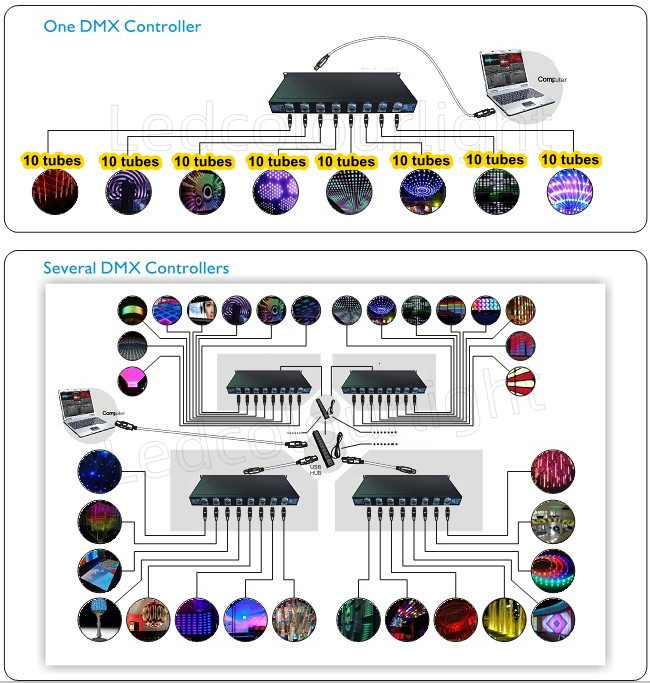
DMX Channel Configuration
Determine the number of channels the fixture uses. Common channel configurations include 1, 2, 3, 4, 6, 8, or more channels per fixture.
Check the fixture's manual to understand what each channel controls (e.g., dimmer, pan, tilt, color wheel, gobo wheel, etc.).
Plan the DMX Universe:
Create a DMX address plan for your lighting setup. This plan should list all fixtures and their respective DMX addresses.
Ensure that you have enough channels in your DMX universe to accommodate all fixtures. If you exceed 512 channels, you'll need to use multiple universes.
Assign DMX Addresses:
Set the starting DMX address for each fixture. This is typically done using dip switches, a menu on the fixture, manufaturer addressing tools or a control console.
For example
| Fixture | Address Start | Channels Used | Address Range |
| Fixture 1 | 1 | 6 | 1~6 |
| Fixture 2 | 7 | 6 | 7~12 |
| Fixture 3 | 13 | 12 | 13~24 |
Set up your lighting console to match the DMX addresses of your fixtures.
Create fixture profiles if necessary, which tell the console how many channels each fixture uses and what each channel controls.
Patch the Fixtures:
On the lighting console, patch each fixture into the correct DMX address. This tells the console which channels to send to each fixture.
Some consoles allow you to patch by fixture type, which can simplify the process if you have multiple fixtures of the same type.
Test the Configuration:
With power off, connect the fixtures to the DMX network using the appropriate cables.
Power on the fixtures and the control console.
Test each fixture by sending DMX signals from the console to ensure they are responding correctly to the control commands.
Adjust as Necessary:
If a fixture is not responding correctly, double-check the DMX address and the patching on the console.
Make sure all connections are secure and that the DMX cable is not damaged.
Here's an example of a simple DMX channel configuration for two fixtures:
DMX Address: 1
Channels: 1 (Dimmer), 2 (Pan), 3 (Tilt), 4 (Color Wheel), 5 (Gobo Wheel), 6 (Focus), 7 (Iris), 8 (Prism)
Fixture 2 (LED Wash):
DMX Address: 9
Channels: 9 (Dimmer), 10 (Red), 11 (Green), 12 (Blue), 13 (White), 14 (Strobe)
Remember, the DMX address is the starting point, and the number of channels used by each fixture will determine how many consecutive addresses it occupies in the DMX universe. And each manufacturer's fixtures may have different definition on the adress definition and different procedures for setting DMX addresses, so it's important to consult the user manual for specific instructions.
DMX Software & Controllers
DMX software and controllers are essential components in the world of stage lighting and effects. They allow users to program and control lighting fixtures, special effects machines, and other DMX-compatible devices. Here's a brief overview of both:
DMX Software
DMX software is used to create lighting designs, cues, and sequences that can be played back live or in a pre-programmed manner. Some popular DMX software options include:
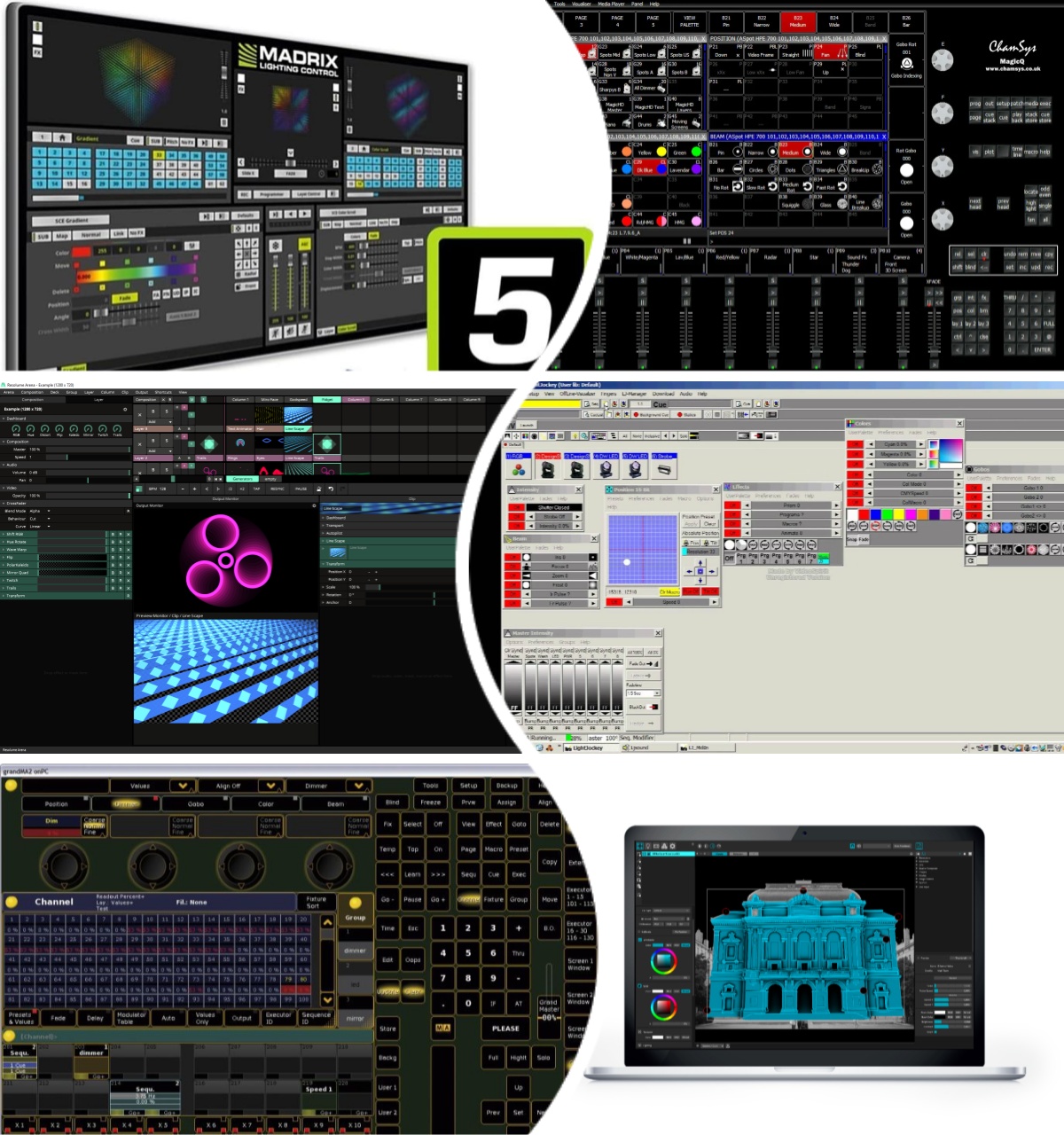
- Martin LightJockey: A widely used software for controlling lighting shows.
- Chamsys MagicQ: Offers both a free and a professional version for lighting control.
- GrandMA2 onPC: A powerful lighting control software used in professional environments.
- DMXKing UltraDMX Pro: A software that can be used for simple lighting control and is compatible with a variety of USB DMX interfaces.
- Onyx: An advanced control system by Avolites that offers both hardware and software solutions.
- Madrix: A lighting control software that is widely used in the entertainment lighting industry.
- MadMapper: A real-time video mapping and projection mapping software designed for use in the visual arts, live performances, and installations.
- Resolume Avenue: A real-time visual performance and composition software used by VJs, live events producers, and video artists.
DMX Controllers
DMX controllers come in various forms, from simple manual desks to complex computerized systems. Here are some types and examples:
Conventional Lighting Desks: These are manual controllers with faders for each channel or group of channels.
- Example: Zero 88 Solution
- Example: ETC Element
Moving Light Consoles: These are designed to control moving lights and often have additional features for programming complex sequences.
- Example: MA Lighting GrandMA
- Example: High End Systems Hog
USB DMX Interfaces: These devices connect to a computer running DMX software and allow for control of DMX devices.
- Example: Enttec Open DMX
- Example: DMXKing USB Pro
All-in-One Control Solutions: These are compact units that combine the functionality of a controller and a USB DMX interface.
- Example: ADJ myDMX
- Example: Chauvet DJ D-Fi
iPad/iPhone DMX Controllers: These apps use Wi-Fi or Bluetooth to control DMX devices through a compatible interface.
- Example: Luminair for iOS
- Example: DMXzone for iOS
Networked Lighting Systems: These systems use network protocols like Art-Net or sACN to distribute DMX signals over Ethernet.
- Example: ETC Net3
- Example: Pathport
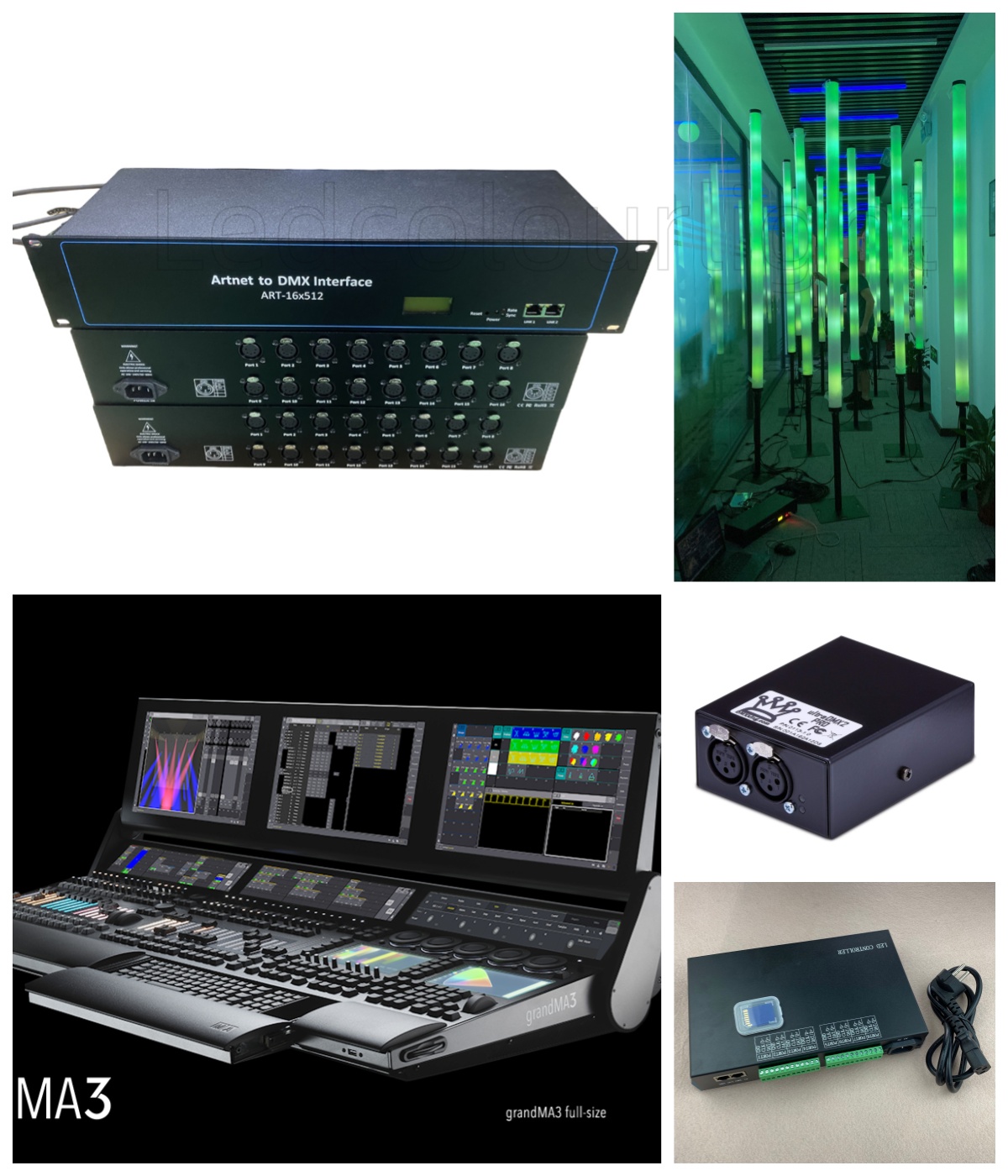
When choosing DMX software and controllers, it's important to consider the scale of the production, the types of fixtures being used, and the complexity of the lighting design. Professional controllers and software can be quite expensive, but there are also budget-friendly options available for smaller-scale applications.
How to Connect DMX Lights?
Related Article